
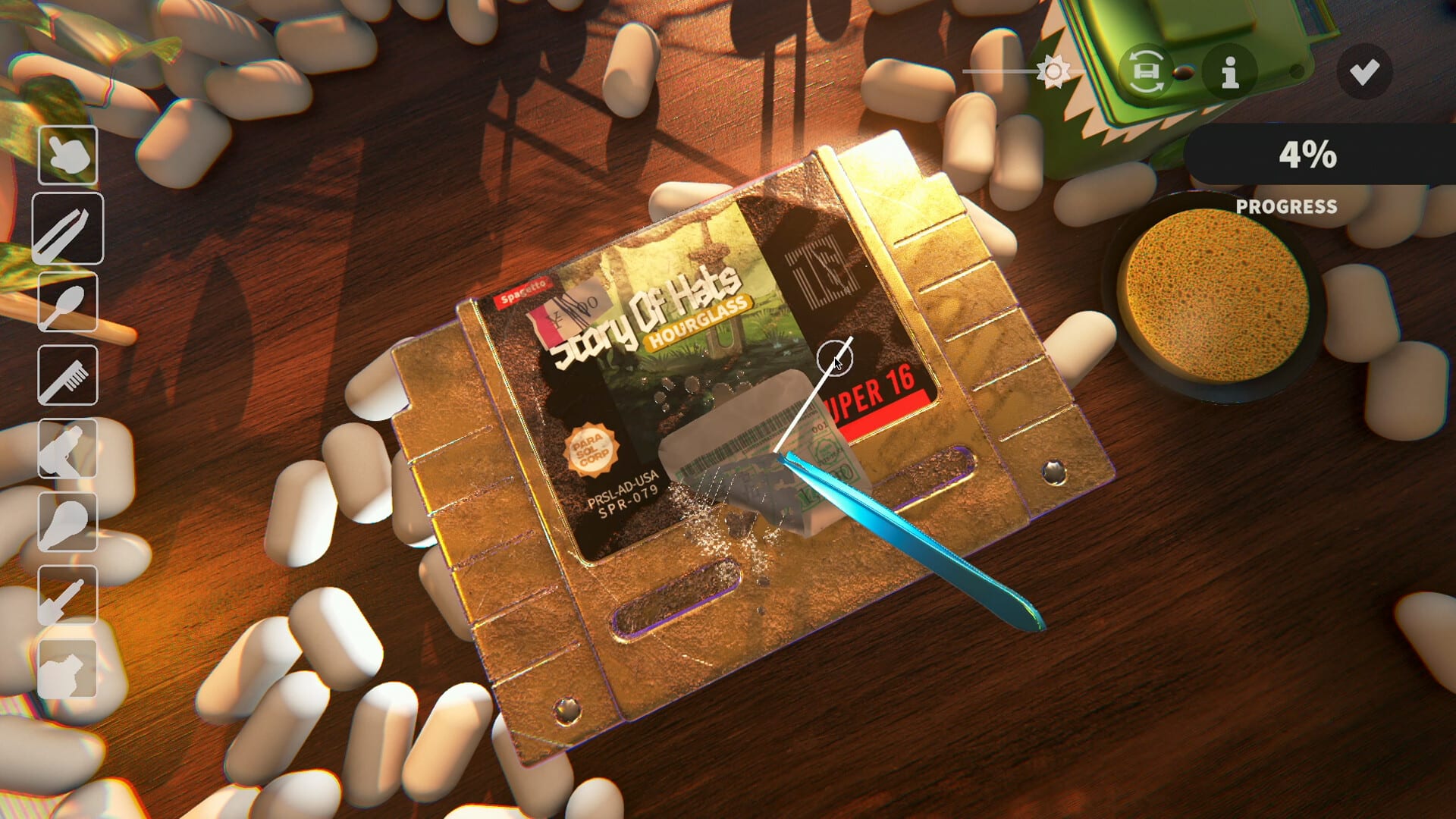
Official screenshot · Steam media gallery · © Parasol Corp. Material statement
Steam is the confirmed Mac storefront
The official game's Steam metadata marks Mac support, and the developer's final-demo announcement explicitly includes OS X. Use that verified distribution route when you are trying to find the game for an Apple computer. A Mac-compatible game does not need to have a separate listing in Apple's own store for its Steam edition to exist.
The supplied research did not verify a matching official Mac App Store product page. That is a bounded finding about the checked material, not a prediction that another storefront can never be added. This page therefore links the confirmed Steam edition rather than offering an invented Apple purchase button or claiming an unannounced Apple Arcade release.
Confirm the product before installing
The main game is Steam app 3581230, with Parasol Corp listed as developer and publisher. Its free demo is a separate linked product, app 4742270. Checking those identities helps distinguish the full Mac game from a trial entry or another restoration game with a similar description.
That distinction matters when a video or support post discusses a limitation you do not expect. A demo restriction does not automatically apply to the main product, and the existence of a trial is not proof that the full game is free. The Steam guide and free download explanation cover those product differences in more detail.
Read the Intel and Apple silicon requirements separately
The researched full-game requirements distinguish Intel Macs from Apple silicon Macs at the operating-system level. Intel is listed with High Sierra 10.13 or later, while Apple silicon is listed with Big Sur 11.0. Use the entry that matches your machine rather than collapsing the two lines into a claim that every Mac on one operating system will behave identically.
The same requirements list 8 GB RAM and 4 GB of available storage. Those fields are useful for an initial compatibility check, but they are not a benchmark or a detailed account of how every combination of hardware behaves. The research does not establish a particular frame rate, graphics preset, or battery-life result for an individual Mac model.
Avoid assumptions about rendering and compatibility layers
The supplied material confirms the Mac platform flag and the listed operating systems, not the internal rendering technology used by every build. It does not establish a native Metal renderer or a Rosetta requirement. This guide leaves those implementation details out rather than presenting a plausible technical explanation as verified support information.
The practical starting point remains the official product's current Mac requirements and the appropriate Steam download. If you need help with a specific machine, identify the chip, macOS version, product edition, and game build in your support question. Those details are more useful than assuming that an unverified renderer or compatibility layer must explain the result.
Try the official Mac demo
The demo's product record lists Mac as well as Windows, and the final-demo announcement independently mentions OS X. That gives Mac players an official trial route through Steam rather than a need for a third-party port or a separate installer mirror. Follow the main store's demo entry and confirm the linked trial identity before comparing its behavior with a guide.
The researched trial covers seven games across three in-game days. It also has different balancing from the full game, including item rarity and spending restrictions described in developer patches. The demo download article explains those limits and the later announcement that full-game saves would reset.
Keep demo storage separate from full-game storage
The demo lists 2 GB of storage, while the full game lists 4 GB. These values should stay attached to the products that publish them rather than being blended into a single download-size claim. A listed storage requirement is also not a precise measurement of the data transferred during an installation or update.
This is particularly important if you are using the trial to decide whether to get the complete collection. The trial's smaller sample does not establish the full game's disk footprint or performance on your computer. Check the full product's current requirements when making that later decision, even if the demo has already installed successfully.
Language support and game settings on Mac
The full-game language record lists both Simplified and Traditional Chinese, while Demo Patch 6 describes automatic language selection and a gear-icon menu. Those are game-level localization details, not a reason to change storefront or search for an unofficial Mac-specific language patch. The Chinese settings guide preserves the documented demo menu route.
Do not infer a complete Mac-specific menu walkthrough from a general platform flag. The supplied research has not independently tested every full-release screen on a Mac, and no exact unverified hotkey is added here. When reporting a language problem, include your Mac build and whether you are running the demo rather than assuming all editions show the same screen.
Check launch availability and ask precise support questions
The research snapshot still marked the full game coming soon for November 4, 2026. That release status is separate from whether the product supports Mac, so a supported platform does not guarantee an immediate launch button before the scheduled unlock. Use the live Steam page for purchase availability and the release schedule for the announced time-zone details.
For a Mac-specific problem, include the chip type, operating system, game version, and exact point at which the issue appears. The official community guide helps verify the developer's server, while Steam discussions provide another game-specific destination. This keeps the request focused on the supported Mac edition instead of an unverified store release or a guessed technical requirement.
Match a support report to the installed edition
When a Mac session behaves differently from a guide, identify whether you installed the demo or the main product before comparing the details. The trial has its own storage requirement, content limit, and balancing notes, so a difference does not automatically establish a Mac-specific fault. A report that names only the operating system can miss the more relevant distinction between those products.
Include the exact screen and action alongside your hardware and macOS version when seeking help. For example, a missing language selector, an unfinished clean, and reaching the trial's day cap are separate questions even on the same computer. The linked specialist articles help narrow that question while leaving unmeasured Mac performance and unverified storefront editions out of the explanation.
Sources and version notes
This guide synthesizes the research checked on November 4, 2026. Demo changes and preview observations are identified in the text; this site does not claim independent gameplay testing.
Found an outdated detail? Send a correction with the game version and the relevant source.