
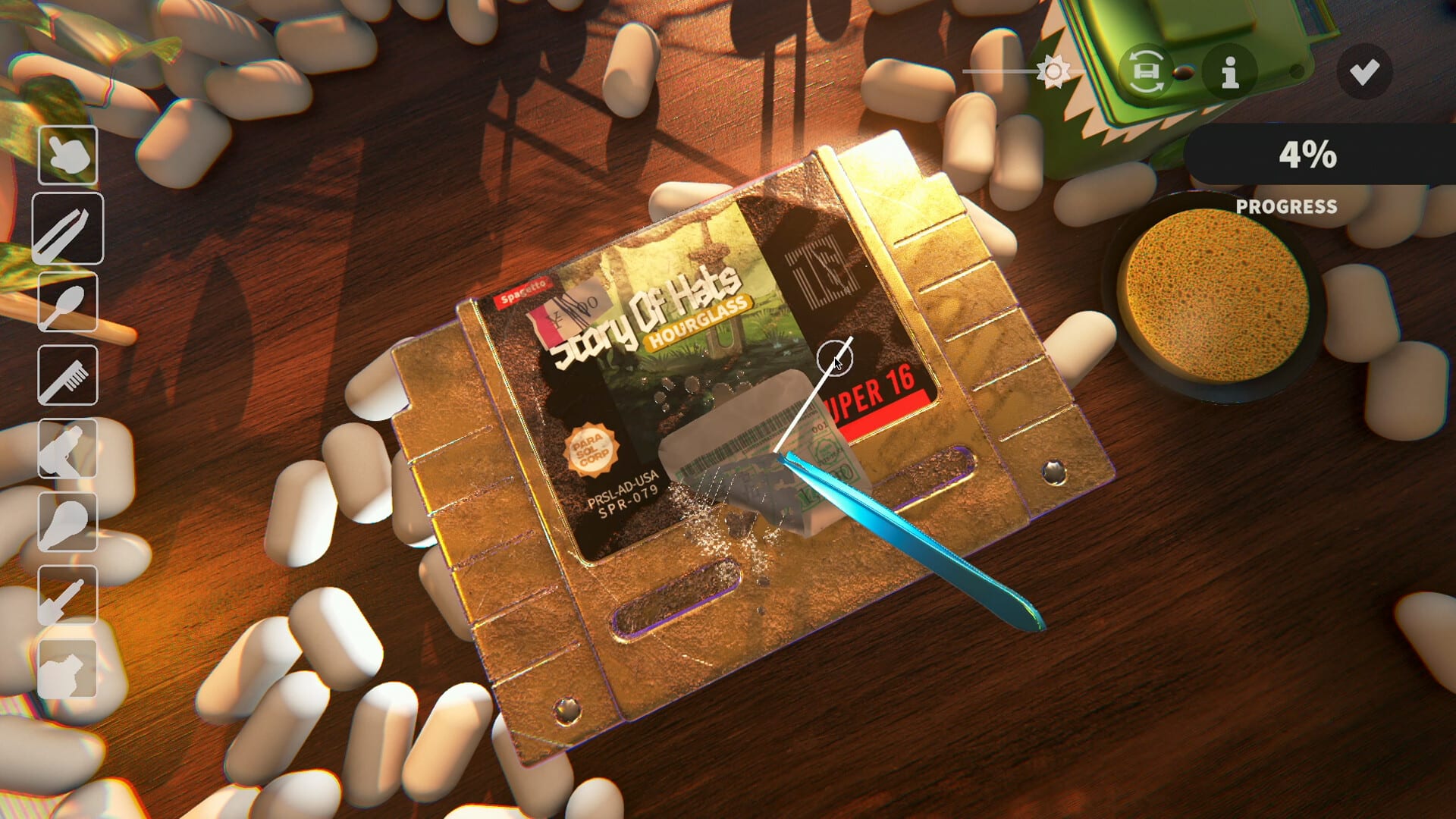
Official screenshot · Steam media gallery · © Parasol Corp. Material statement
Identify scratches before choosing treatment
The official game description lists scratches alongside dust, ink, discoloration, stickers, and adhesive residue as different forms of wear. That separation matters when a cartridge appears nearly clean but still has visible lines or an unfinished category. Start by checking what the game says remains rather than treating every mark as another patch of dirt.
A surface can carry more than one kind of damage in the same area. Removing the dirt may reveal scratches that were less obvious before, without meaning the earlier cleaning step failed. Think of the restoration as several layers of work, then choose the next action based on the layer that is still incomplete.
Choose Polish rather than a universal solvent fix
The researched tool reference maps Polish to scratches and Solvent to ink and adhesive. Some early impressions use cleaning-product terms loosely, which can make those treatments sound interchangeable when they serve different purposes in the named kit. Use the in-game labels to keep the scratch workflow distinct from removing glue.
Apply the scratch treatment and work the affected area with cleaning equipment, then inspect the result instead of assuming that application alone finishes the task. The available sources do not establish a fixed dose, a required pressure value, or an exact number of strokes for every item. A promise of instant completion would therefore go beyond the evidence behind this guide.
Use UV and inspect other surfaces
The developer's final-demo announcement describes a lingering UV trail that helps players find their way back to missed scratches and ink. Use the torch to identify the area that needs attention, then return with the appropriate tool. UV provides information about the job rather than physically erasing the scratch layer.
Rotate or examine the other surfaces if the part facing you looks clean while the category remains unfinished. A screenshot of a spotless front does not establish that the entire object has been checked. That inspection habit is particularly helpful when the last visible mark is small and the overall percentage gives little guidance about its location.
Why CDs can affect the percentage differently
The October 2 demo notes changed how CD scratches contribute to completion calculations. This explains why a player following older footage may notice that scratch work affects the progress figure differently in a newer demo. It is a documented balance change, not evidence that every disc has become impossible to clean.
Treat that note as version history rather than a formula for the full release. The research does not establish a permanent numerical weight for scratches across every object and build. When comparing results with a video or older guide, first check whether it was recorded before the demo changes rather than assuming the displayed percentages must match.
Scratch progress and the 99 percent condition
A restoration can remain unfinished because the scratch layer is below its target even when other categories look complete. Demo Patch 6 checks dirt, ink, scratches, and stickers individually for autocomplete, with the setting enabled in Accessibility. Reaching a high overall average is not the same as satisfying that per-category rule.
If the scratch work appears complete, inspect the remaining categories rather than polishing indefinitely. An unnoticed sticker or ink patch can be responsible for the final gap, and repeated work on an already finished category does not resolve it. The 99 percent troubleshooting guide walks through that distinction without recommending a destructive reset.
Recognize old demo-specific difficulties
Demo Patch 3 changed a ridged Toro 2 epic cartridge because the trial tools struggled with its geometry. That is useful context when an old account describes an unusually difficult object, but it should not be presented as an unresolved issue affecting every current cartridge. Update and identify the build before diagnosing a familiar-looking problem from historical footage.
The game also randomizes conditions, so two copies need not have identical marks or require identical movements. Use the particular object's visible category information and your current tool condition as the immediate evidence. If a problem remains reproducible, record the item and the layer rather than assuming that the most difficult old demo example explains it.
Finish the inspection before moving on
Once the treated scratch area looks clear, check the rest of the object under normal lighting and UV before deciding the restoration is finished. This gives you a chance to separate a successful scratch repair from another category that still needs work. It also keeps the next step focused, whether that is cleaning residue, peeling a sticker, or inspecting the opposite surface.
These are game mechanics summarized from the supplied research, not real-world disc or cartridge repair instructions. The site has not independently tested pressure, application amounts, or full-release behavior, so those details are not invented here. For the complete kit and its documented shelf bonuses, continue with the tools reference.
Compare progress without assuming identical cartridges
Randomized condition is part of the game's official description, so a second copy need not have scratches in the same places or the same combination of other marks. This matters when a video seems to finish a similar object quickly while your own restoration still needs attention. Compare the categories and version before interpreting the difference as evidence that your game requires a special technique absent from the documented tools.
The relevant comparison is the layer being treated and the feedback after treatment, not simply how long the other player spent moving a brush. The research provides no universal speed target, fixed stroke count, or full-release scratch formula that every copy must match. That leaves room for a careful, object-specific inspection without making an unsupported claim about why one session took longer than another.
Keep cleaning and collection decisions separate
Finishing the scratch layer is part of restoration, while deciding whether to sell or display the game belongs to the later collection loop. A useful collection bonus does not change which named treatment the research associates with scratches. It can affect the wider effectiveness of cleaning, which is why the tool reference discusses shelf arrangements alongside the kit rather than replacing the treatment mapping.
If your immediate question is why progress has stopped, finish the category check before moving to an economy or collection explanation. If the restoration is complete and you want to continue, use the next-day guidance instead of polishing a finished item. Separating those stages keeps the troubleshooting question narrow enough for the documented facts to answer it.
Sources and version notes
This guide synthesizes the research checked on November 4, 2026. Demo changes and preview observations are identified in the text; this site does not claim independent gameplay testing.
Found an outdated detail? Send a correction with the game version and the relevant source.