
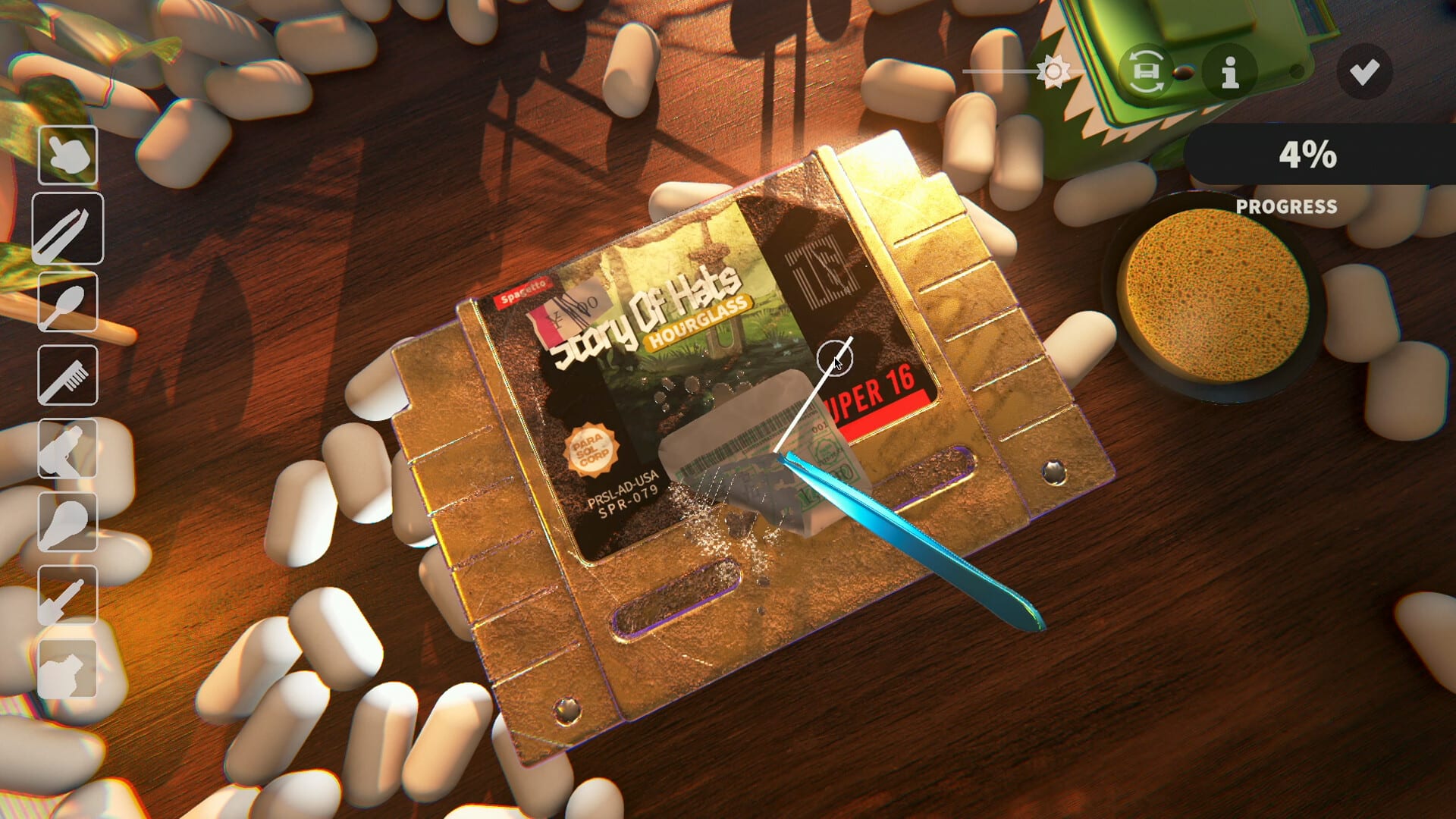
Official screenshot · Steam media gallery · © Parasol Corp. Material statement
Identify the official product
Use the main Steam app ID and publisher identity when checking that you have found the correct game. Cozy Game Restoration is the cartridge-cleaning and collecting simulator from Parasol Corp, not a general label for every cozy repair game. Its official website points players to the same Steam product, providing a second way to reach the intended store destination.
This identity check is useful when search results include other games with restoration, repair, or cleaning in their descriptions. A similar-looking screenshot or overlapping genre does not make another listing the same product. The game page, developer name, and linked demo record are the more precise references for deciding what to install or follow.
Choose the main game or the demo
The full game and free demo use separate Steam records, so their availability and content should not be combined into a single claim. The main product is not marked free-to-play, while the demo is marked free. Choose the demo entry on the main page when you want the official trial rather than interpreting the whole game as a free download.
The demo's separate app ID is also helpful when a support thread or gameplay video describes behavior that differs from yours. Check which product and build the author is discussing before applying its limits or fixes. The demo download guide explains the trial's three days, seven games, and the developer's later save-reset note.
Windows and macOS are the confirmed systems
The researched Steam platform fields identify Windows and Mac support. That confirms the desktop route for players choosing between those systems, but it does not turn the Steam listing into a console announcement. Individual pages cover the research status for PS5, Xbox, and Switch without inventing dates or product links.
Mac support through Steam is also different from a Mac App Store edition. The supplied material verifies the former and does not establish the latter. If you are looking for the game on an Apple computer, use the macOS store guide for the listed Intel and Apple silicon requirements rather than assuming Apple's own storefront is required.
Steam Deck design and controller support
The developer says the game is designed with Steam Deck in mind. That is useful information about the intended handheld experience, but it is not a verified statement that Valve has awarded a particular compatibility badge. Keep the developer's design goal separate from a badge, measured performance, or a promise about every device configuration.
Similarly, controller support in a desktop game does not establish a PlayStation or Xbox console release. Button labels and supported input devices describe how the Steam build can be controlled. They do not create a console product page, a console entitlement, or a published port schedule that the researched sources have not announced.
Check release status on the live page
The research recorded a coming-soon flag for the main product despite the announced November 4 date. A scheduled date and a product that has already unlocked are different states, especially across launch-day time zones. Use the current store button and availability notice when you are deciding whether you can purchase and play immediately.
The developer's launch schedule gives Los Angeles November 4 at 4 p.m. PST, equivalent to midnight GMT on November 5 in London. Those two calendar dates can describe the same release instant rather than conflicting launches. The release date guide reconciles the schedule and explains why older September coverage is no longer the current target.
What the game page describes
The official premise is opening mystery parcels and restoring old game cartridges through layers of dirt, stickers, ink, scratches, and adhesive residue. Restored games feed into collecting and room customization rather than a time-limited cleaning race. The developer explicitly describes a relaxed experience without a timer or fail state.
The announced full-game design includes 108 distinct retro-inspired titles with regional variants and collection-based quests. That scale should not be confused with the much smaller demo sample. If you want to understand the actual play loop before installing, the beginner guide connects the cleaning work to display choices, selling, shelf bonuses, and advancing the day.
Use official community and media destinations
The Steam community hub provides game discussions and developer announcements, while the official website also links the developer's Discord. Those are useful places to confirm version-specific changes before following a guide written for an earlier demo. A creator's own community invitation in a video description should not be substituted for the official game server.
The Discord page explains how to verify that destination without relying on a fluctuating member count. The official trailer is also embedded on this site's homepage with a local cover, allowing playback here when selected. Its purpose is to show the game's presentation, not to prove unannounced console support or undocumented troubleshooting steps.
Keep requirements and support claims specific
The researched full-game requirements and trial requirements are not identical, including their listed storage needs. Treat them as product-specific requirements rather than assuming a demo's smaller footprint describes the full collection. Neither a storage field nor a platform flag establishes a benchmark for a particular computer.
Before following a download or settings recommendation, identify the product, system, and game version involved. That simple check prevents several common confusions at once: demo versus full game, Mac support versus Apple's store, and a handheld design goal versus a certification claim. For the free option specifically, the free download article keeps the official trial separate from unverified full-game offers.
Keep the game identity attached to every comparison
The exact product matters when comparing requirements, a patch note, or a download button, because the main game and demo can share a name while differing in content and balancing. Identify the app and build before deciding that a guide has described the wrong behavior. This is particularly useful for the trial's day cap, high upgrade prices, language metadata, and later save-reset statement.
The same check helps distinguish a genuine platform announcement from an input or storefront reference. A Mac system flag, controller icon, and Steam Deck design statement each say something specific, but none substitutes for an official console product. Treat the Steam page as the starting point for those precise questions rather than using one broad compatibility label to answer all of them.
Sources and version notes
This guide synthesizes the research checked on November 4, 2026. Demo changes and preview observations are identified in the text; this site does not claim independent gameplay testing.
Found an outdated detail? Send a correction with the game version and the relevant source.